Scientific Calculators · Volume 4
Inside a Scientific Calculator
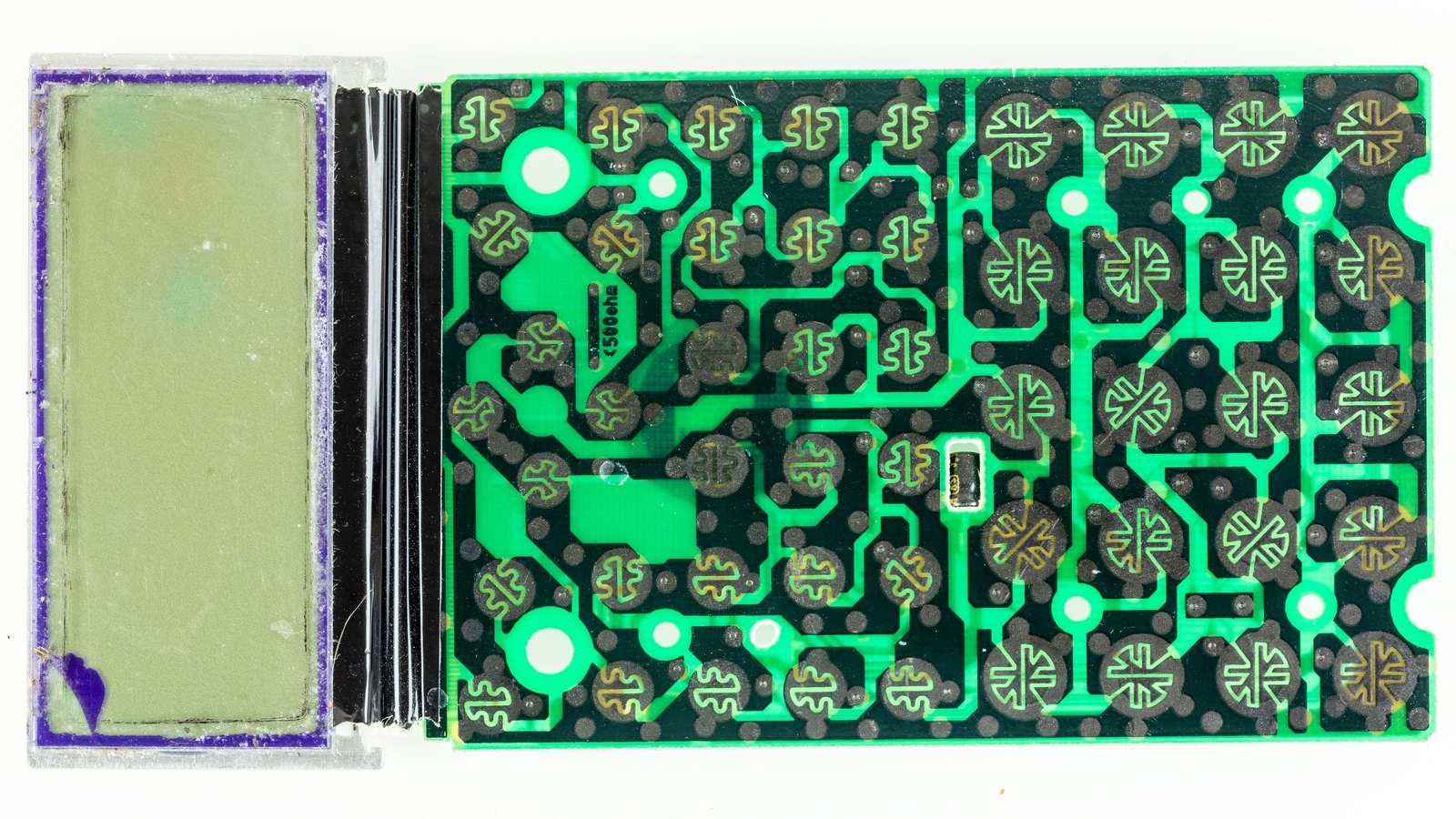
Open a modern scientific calculator and there is almost nothing in it: a circuit board with one chip, a display, the contacts for a rubber keyboard, and a battery. Everything that makes it a scientific calculator, the parser, the arithmetic, the functions and the display, is in that one chip’s program. The HP-35 needed five MOS chips and three of HP’s own to do less. This volume follows the hardware from one to the other.
4.1 The HP-35: eight chips
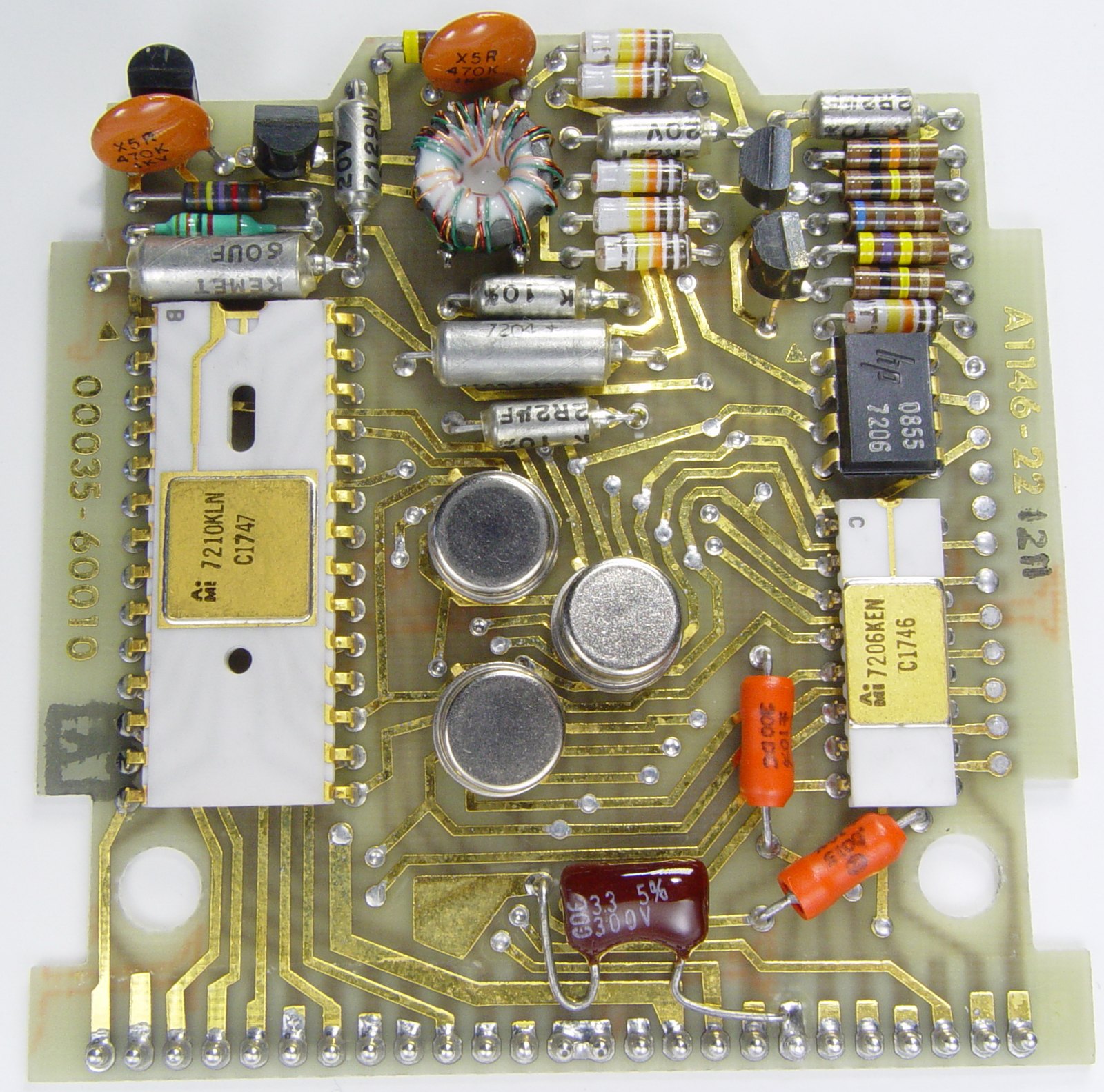
Dave Cochran’s account of the HP-35’s design describes its electronics:
- Three ROM chips, each holding 256 instructions of 10 bits: the whole program.
- An arithmetic and register chip, holding the working registers and doing decimal arithmetic one digit at a time.
- A control and timing chip, which sequenced the ROMs and scanned the keyboard, a five-column, eight-row matrix whose row and column became the starting address of the routine for each key.
- Three bipolar chips of HP’s own make.
The registers were “race-track” shift registers: each 56-bit number circulated through the chip one digit at a time, and a “word select” signal let an instruction act on just the mantissa or just the exponent. Key bounce was dealt with in the program, by waiting. Every function finished in under a second. The chips were PMOS, clocked at 200 kHz, made by Mostek and AMI.
4.2 The Sinclair Scientific: one chip, borrowed
The Sinclair Scientific of 1974 used a single Texas Instruments TMS0805, a chip designed for four-function calculators, with a read-only memory of 320 instructions of 11 bits, laid out as 55 rows by 64 columns on the die. Sinclair wrote a new program for it, and that program is all the scientific calculator there is. It shows what one chip of 1974 could do when every instruction counted, and it is why the Sinclair’s answers were good to only three figures.
4.3 The single-chip calculator
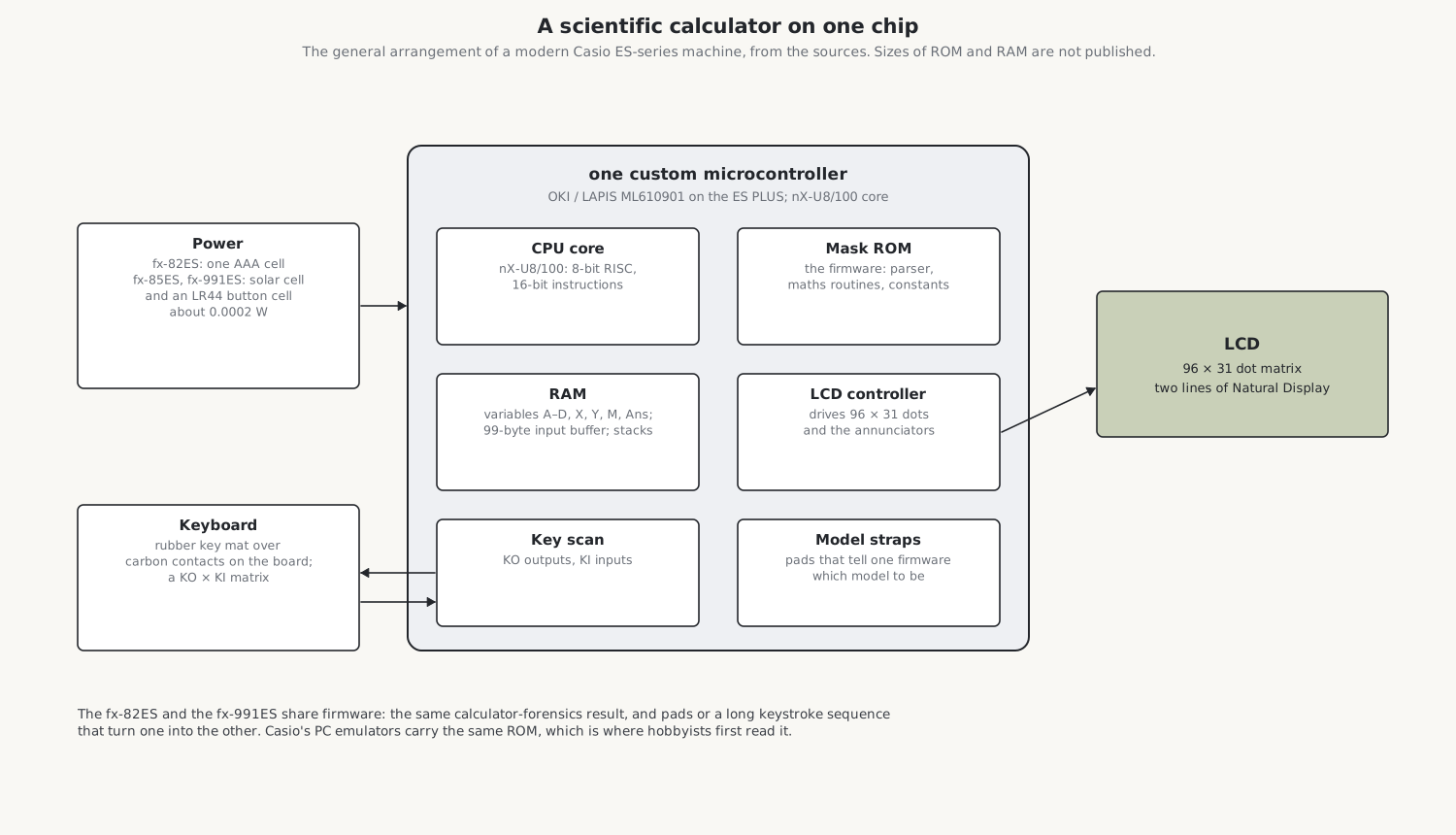
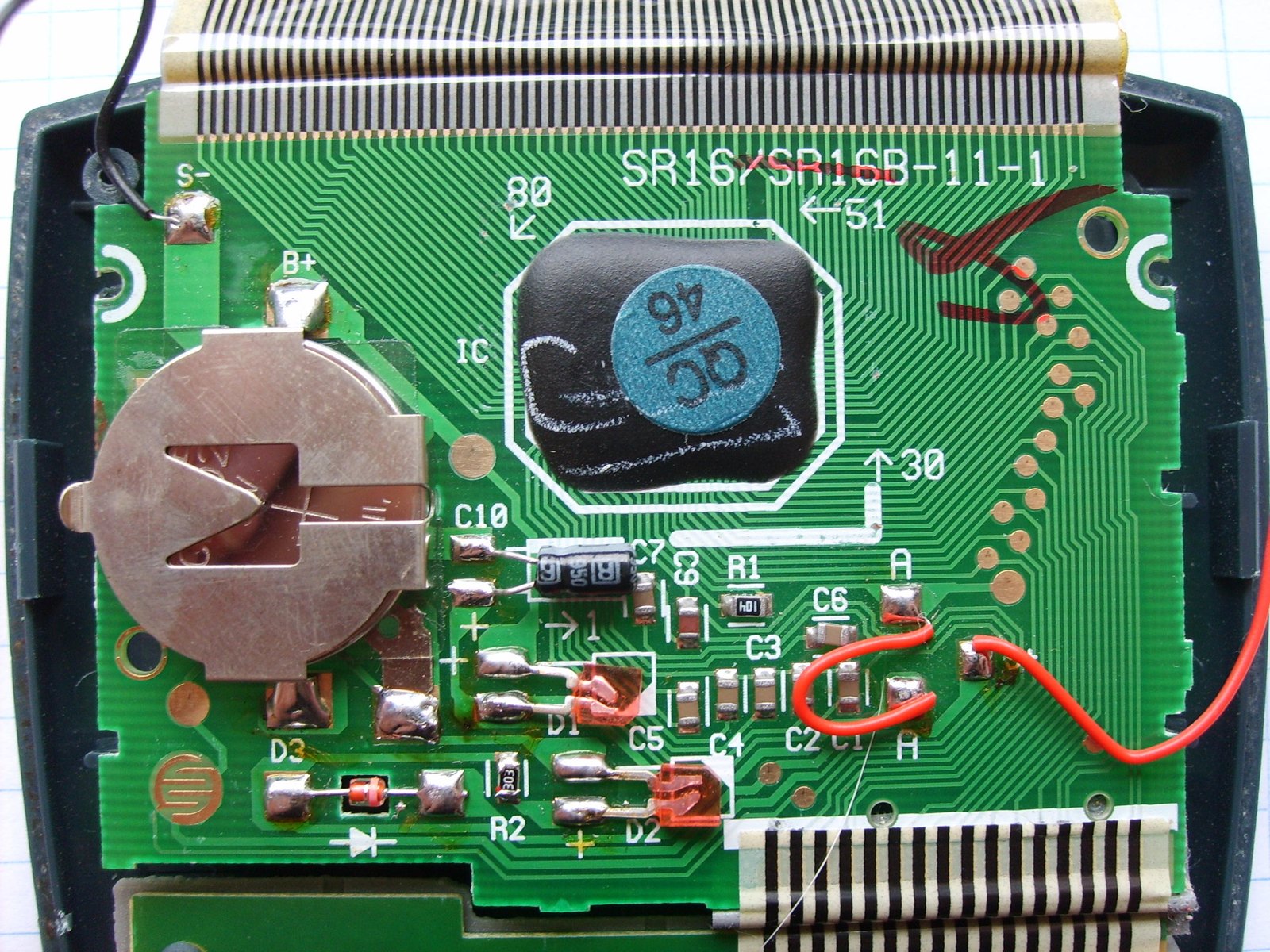
By the 1980s calculators were built round a single chip, a microcontroller made for the purpose with its program in mask ROM, fixed when the chip is made. Casio’s ES series, my fx-82ES among them, uses a custom microcontroller from Oki Semiconductor, later LAPIS Semiconductor, part of ROHM, built on Oki’s nX-U8/100 core, an 8-bit RISC processor with 16-bit instructions that executes one instruction per clock in a three-stage pipeline. Wikipedia and the hobbyists who have studied the ES PLUS name the chip as the ML610901. One of those hobbyists says the original fx-ES uses a different chip from the ES PLUS, so the part in my non-PLUS fx-82ES is not certain. The size of its ROM and RAM and its clock speed are not published.
The chip does everything:
- The display. It drives the 96 × 31 dot liquid-crystal display and the row of status symbols above it (SHIFT, ALPHA, M, STO, RCL, STAT, D, R or G for the angle unit, FIX, SCI, Math, the scroll arrows) directly.
- The keyboard. It scans the key matrix through output lines and input lines, marked “k” and “ki” on the fx-82ES’s board by one hobbyist who wired into them.
- The memory. It holds the variables A, B, C, D, X and Y, the independent memory M, the answer memory, the 99-byte input buffer and the stacks for pending numbers and operations.
- The program. The ROM holds the expression parser, the Natural Display layout, the arithmetic, the function routines and their constants, the statistics and table modes, and the menus.
4.4 One chip, many models
The fx-82ES, fx-85ES, fx-350ES, fx-570ES and fx-991ES are not different calculators inside. They share one chip and one program, and the program decides which model to be by reading straps: small pads on the board, joined or left open at the factory. Hobbyists found this in two ways. A long sequence of keystrokes, apparently overflowing a buffer, wakes the fx-991ES’s hidden functions in an fx-82ES, complex numbers, matrices and vectors among them, until it is switched off; and on early fx-82ES boards marked “A”, shading over a pad called P4 with a pencil was reported to make the change permanent (later “B” boards were changed so that it did not work). The repair volume has the details.
The calculator forensics test, described in the next volume, shows the same thing from the outside: the fx-82ES and the fx-991ES give the same answer to the last digit.
Casio’s own PC emulators of its calculators contain the real ROMs, and that is where hobbyists first read them; the fxesdev group has since written emulators, a debugger and tools for running their own programs on the calculators, by chaining together fragments of Casio’s code.
4.5 The TI-36X Pro
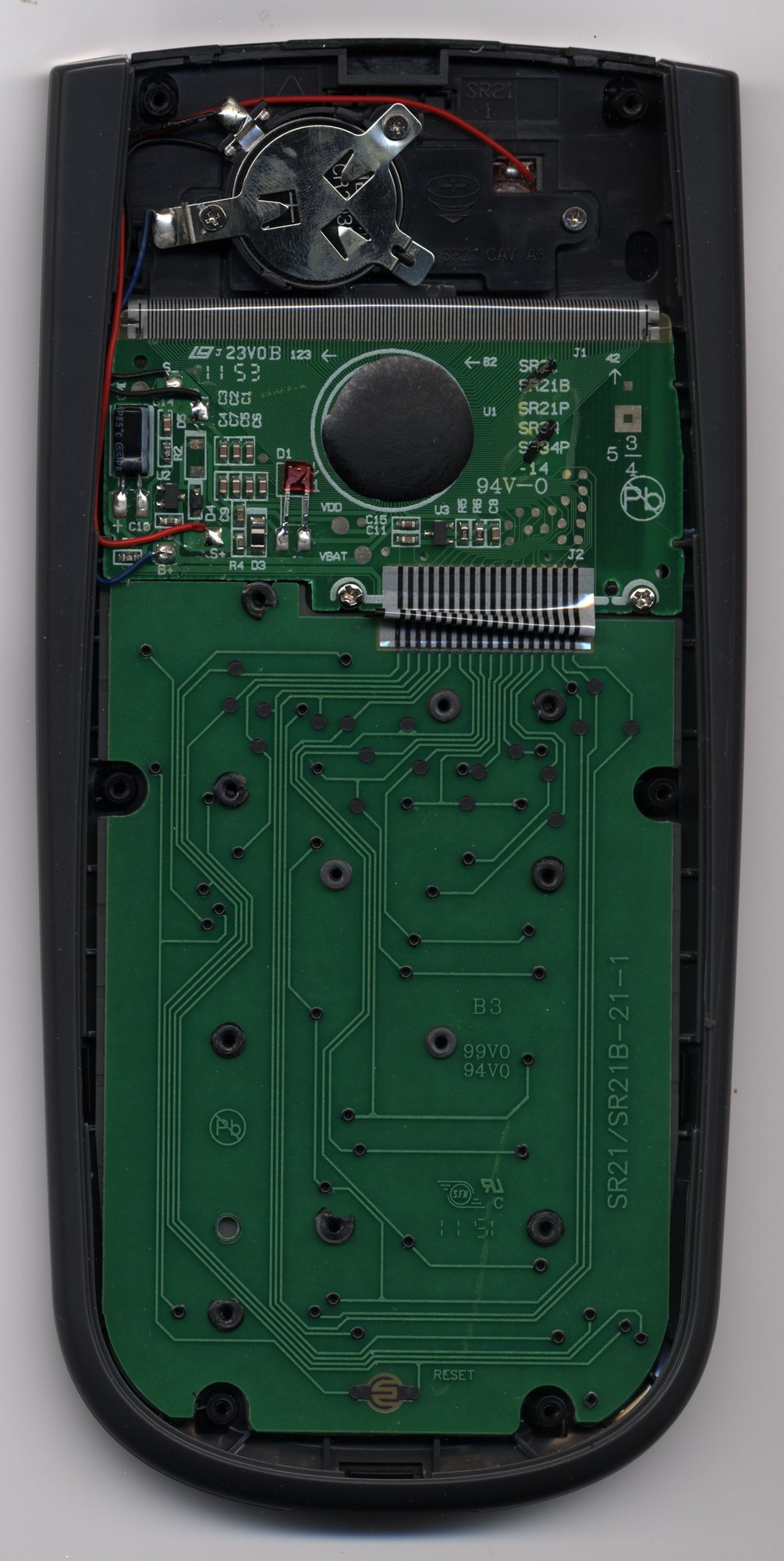
Less is known about the inside of the TI-36X Pro. TI says it uses one 3-volt CR2032 lithium cell, with a five-cell solar panel above the display, and that its display shows four lines of sixteen characters. Its processor has never been identified in any source found: Texas Instruments used Toshiba chips in older TI-36 models, but no teardown or ROM dump of the Pro has been published. iFixit’s guides show two green circuit boards joined by a striped flexible connector, gold contact lines for the keys under a grey rubber key mat, and a lower board held by eleven plastic posts that are melted over at the factory and have to be cut off to remove it.
4.6 Power
Table 1 — Power
| Calculator | Power |
|---|---|
| HP-35 (1972) | rechargeable Ni-Cd pack, 3–5 hours a charge |
| TI-30 (1976) | 9 V battery |
| Sharp EL-805 (1973) | one AA cell, about 100 hours |
| Casio fx-82ES (2004) | one AAA cell; about 17,000 hours with the cursor flashing; 0.0002 W |
| Casio fx-85ES, fx-991ES | solar cell and an LR44 button cell |
| TI-36X Pro (2011) | CR2032 lithium cell and a five-cell solar panel |
Casio’s figure of 0.0002 W is 200 microwatts. A liquid-crystal display needs almost no current, where the HP-35’s LEDs emptied its pack in an afternoon. My fx-82ES has no solar cell at all; the solar version of the same calculator is the fx-85ES.
4.7 The keyboard
Under the keys of every modern scientific is a single moulded rubber mat. Each key is a dome with a pill of conductive carbon on its underside, which bridges two interleaved tracks on the circuit board when pressed. The chip scans the tracks as a matrix: it drives each output line in turn and reads which input lines see it. The key tops themselves are often separate pieces held by the case, and they fall out when the case is opened face down.
Sources
- David S. Cochran, “The HP-35 Design: A Case Study in Innovation” (Computer History Museum, 2010); Hewlett-Packard Journal, June 1972, in the Library.
- Ken Shirriff, the Sinclair Scientific simulator and its notes; IEEE Spectrum on John McMaster’s die photographs.
- Wikipedia, “Casio V.P.A.M. calculators” and “TI-36”; LAPIS datasheets for the nX-U8/100 core; Cemetech and Omnimaga forum threads; the fxesdev projects on GitHub; Hackaday (13 January 2017) and the hackaday.io “calculator hack” project.
- Casio, fx-82ES User’s Guide, specifications; TI, TI-36X Pro Guidebook; iFixit’s TI-36X Pro guides.
- Texas Instruments’ patent US 4,074,351 (Boone and Cochran) on the single-chip programmed calculator.
Comments (0)